
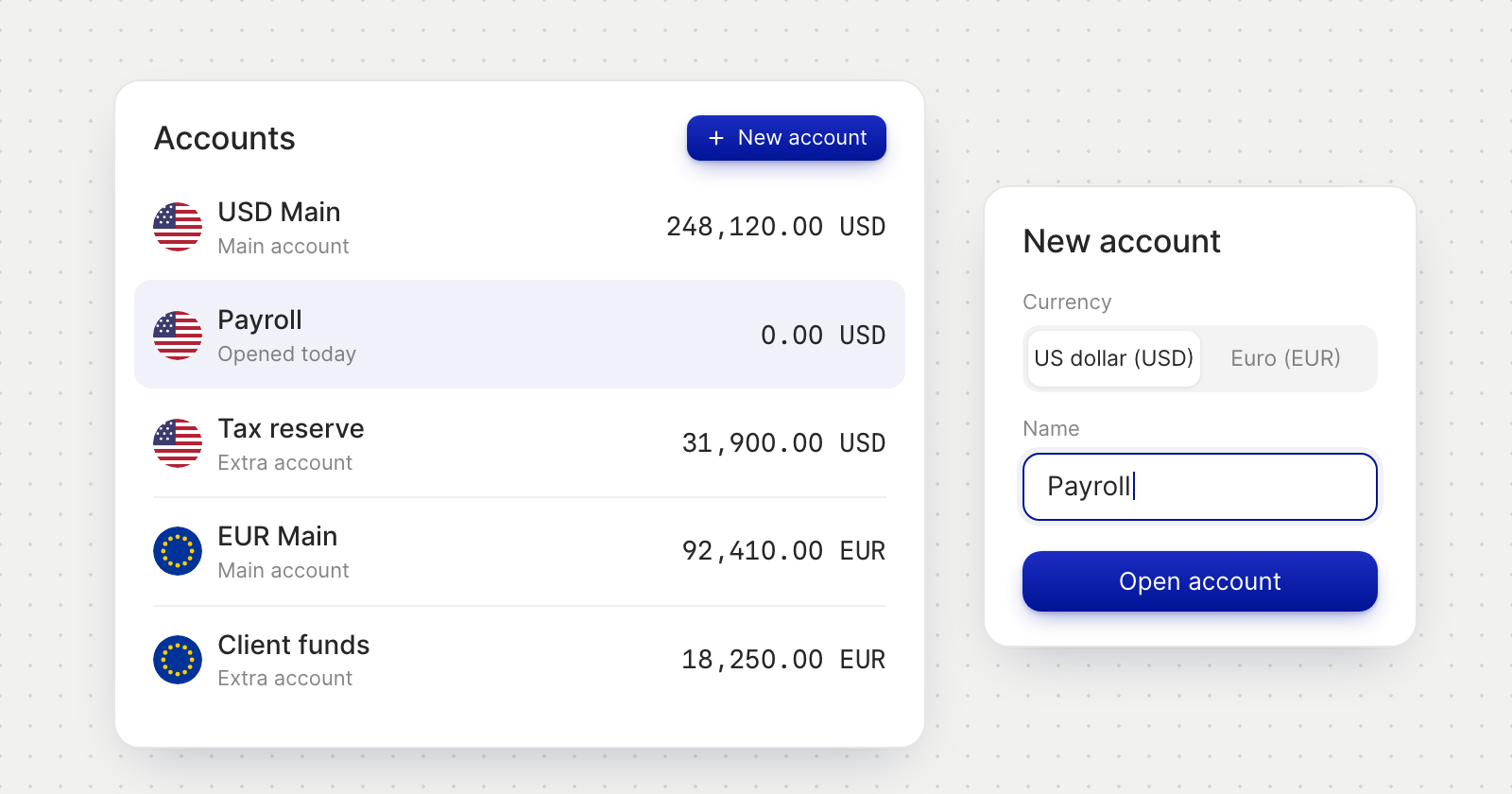
Open, name and close accounts
- Open an account. Choose US dollar or euro and give it a name. It appears among your accounts once it is ready, with account details of its own.
- Rename it whenever you like. The new name shows wherever the account is listed. Its account details stay the same.
- Move money between accounts in the same currency, or convert between any of your USD and EUR accounts with Internal Transfer.
- Close an account you no longer need. What it holds moves to that currency's Main account, and payments sent to its details afterwards go back to the sender.
Every account keeps its own records
- History and chart. Each account has its own transaction history and balance chart.
- Filters. Transactions, Analytics and CSV exports can be narrowed to one account.
- Statements. Every account has its own monthly statements.
Pay from the account you choose
Send money now has a Payment source picker that lists your open accounts, each with its available balance. It starts on Main, or on the account you opened Send money from, and approvers see which account a payment leaves.
Good to know
- A company that keeps only its two Main accounts sees the same screens as before.
- An account that a recurring invoice still uses can't be closed until the invoice is changed.
- There is a limit on extra accounts. When you reach it, close one or ask Concierge to raise it.