
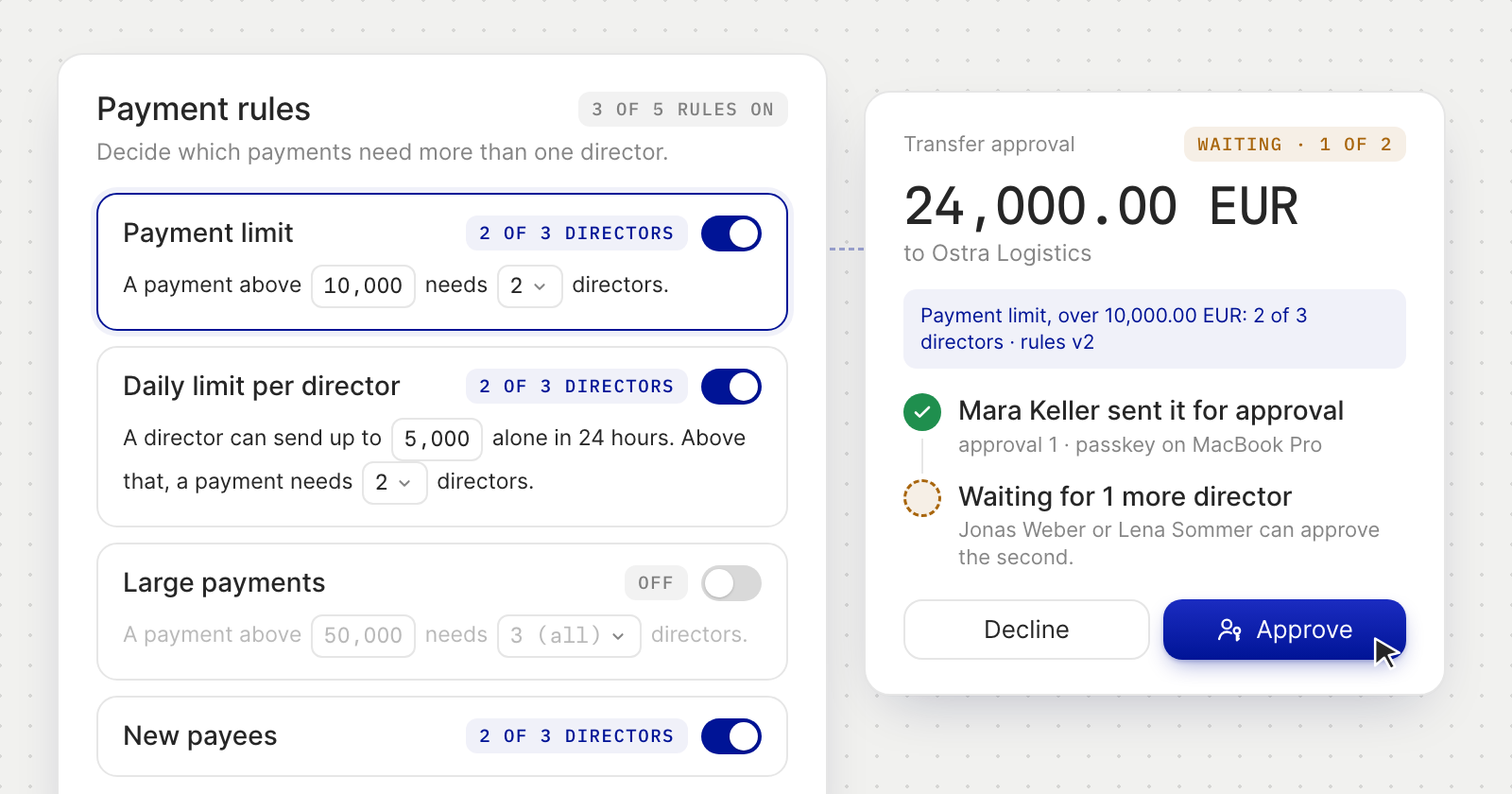
Five rules, each with its own switch
- Payment limit. Any single payment above an amount needs a set number of directors.
- Daily limit per director. A director can send up to an amount alone in 24 hours. Above that, a payment needs more directors, so nobody can send a lot alone in small payments.
- Large payments. A stricter count for the largest payments.
- New payees. The first payment to new bank details or a new wallet needs more directors, whatever the amount. A payee whose bank doesn't confirm the name counts as new.
- Assistant payments. How many directors approve what an Assistant prepares.
Each rule reads as a sentence, such as "A payment above 10,000 needs 2 directors", and shows what it asks for, such as "2 of 3 directors". A rule you switch off keeps its figures for when you switch it back on.
How a payment is approved
- The review says it first. A payment the rules hold shows how many approvals it needs, which rule applies and who can approve it. The button reads Sign and send for approval, and a director's own signature counts as the first approval.
- Directors sign in the Action Center. The request shows its progress, such as 1 of 2, and a timeline: who sent it, each approval with its time and device, and who is still awaited.
- The last approval sends the payment. Nothing leaves before then.
- A decline comes with a reason, which the person who asked sees.
- Nobody has to chase. The directors a request waits for are notified, and reminded once a day for its first three days.
The approvals stay on the payment's details in Transactions afterwards.
Changing the rules
- Changes are approved too. A change to the rules goes to the directors in the Action Center as a Payment rules change. One that tightens the rules takes effect once it is approved.
- Loosening waits 24 hours. A change that lets some payments through with fewer directors takes effect 24 hours after its last approval, and every director is told. A change of the rules currency counts as one.
- The team follows the rules. Under payment rules, inviting a director, changing someone's role to or from director, and removing a director are approved the same way, as a Team change.
- Every version is kept. The page lists each version of the rules, who proposed it and who agreed.
Good to know
- Payment rules need at least two directors, and only directors can change them.
- Conversions and moves between your own accounts never wait for approval.
- A request that doesn't get enough approvals within 7 days expires, and no money leaves.
- Rules are set in EUR, USD or GBP. A payment in another currency is converted when it is submitted.