
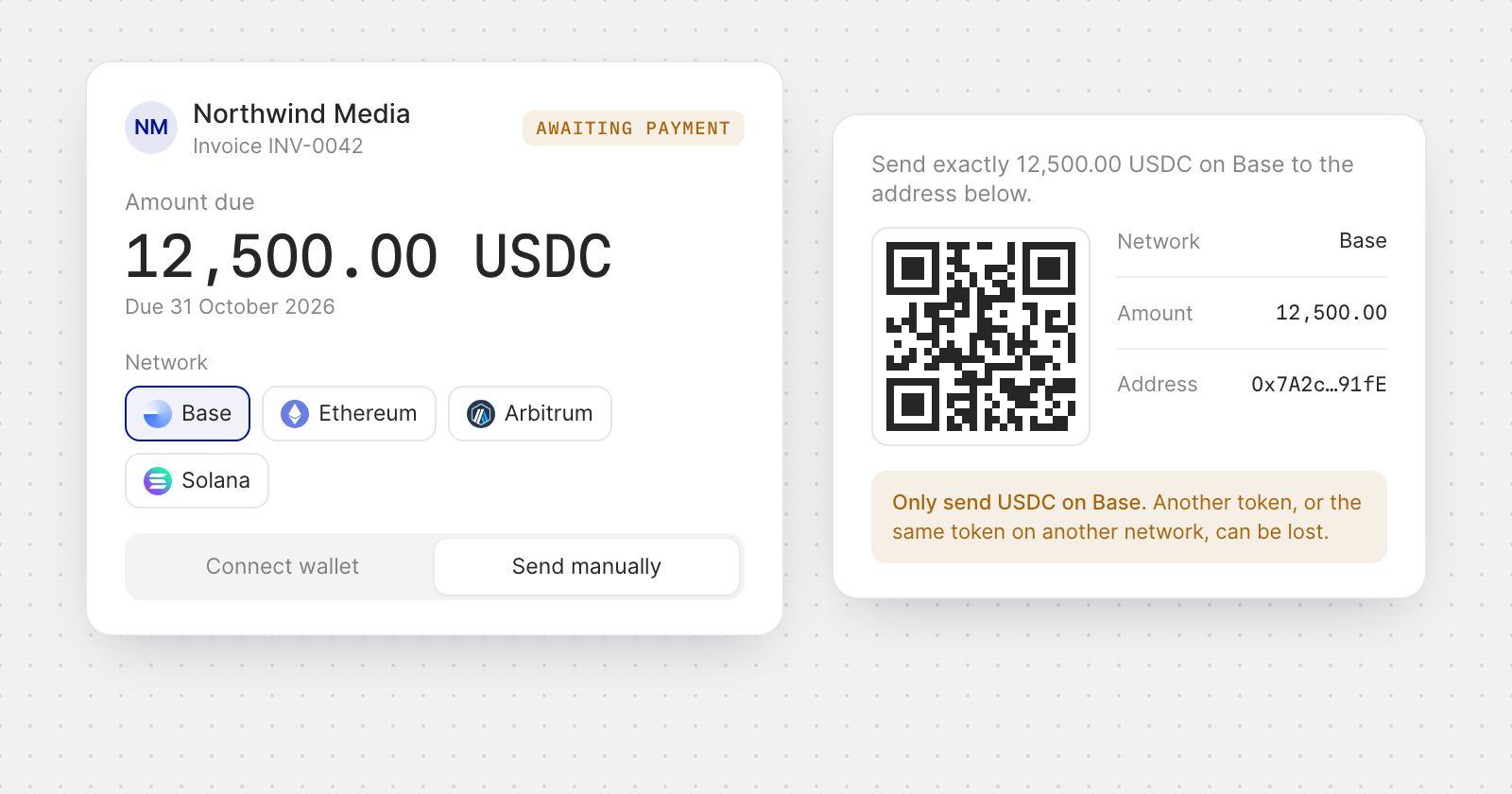
What your customer sees
- The invoice at a glance. The number, issue and due dates, the amount due and, after a part payment, what is left to pay.
- A choice of network. The network named on the invoice comes first, and the amount is the same on each network offered.
- Connect wallet. Pay from a browser wallet, a phone wallet through WalletConnect, or Coinbase Smart Wallet. On Solana, the page works with wallets such as Phantom and Solflare. The payment carries the invoice's reference, so it is matched to the invoice.
- Send manually. The address, the exact amount and a QR code to scan. On Solana, the QR code fills in the amount and the reference too.
- Live status. The page moves from Awaiting payment to Payment received, finalising and then Paid, and the payer can ask for a receipt by email.
What you see
- Pay link on the invoice, ready to copy.
- A Crypto payment block with the network, token and address, what has been received and what is left to pay, and each transfer as it is detected and credited.
- A notification when a payment for an invoice is detected.
- EURC invoices, alongside USDC.
Good to know
- Only the right token on the right network. The page warns the payer before a manual transfer: another token, or the same token on another network, can be lost.
- No double payments. If a payment may already have left the payer's wallet, the page says so before it offers to pay again.
- Hashes a payer pastes are notes. They show on your invoice but don't mark it paid; only the payment itself does.
- The pay page follows the payer's language, in all five of the app's languages.