
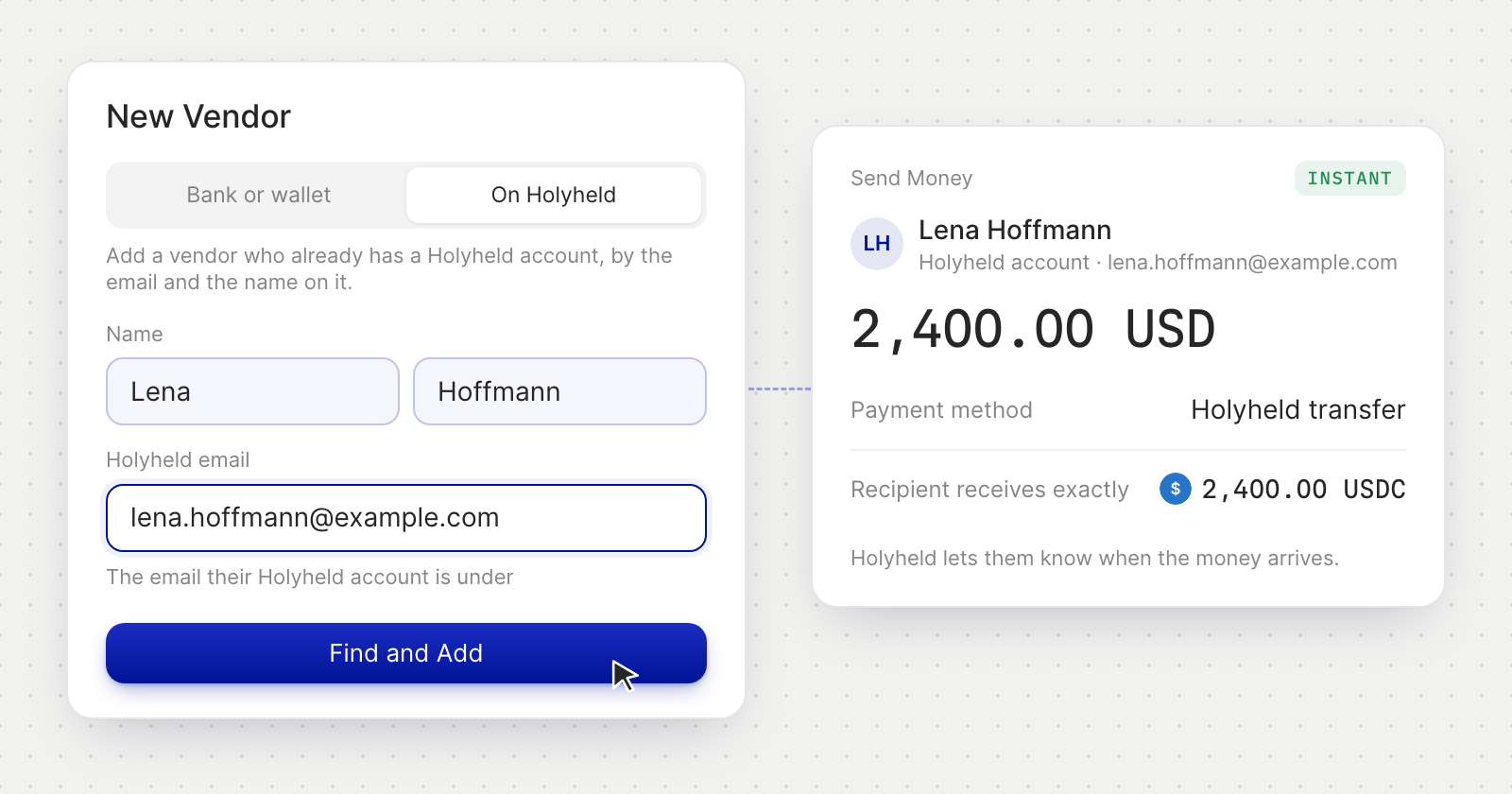
Add a vendor who is on Holyheld
- A new vendor. In Vendors › New Vendor, choose On Holyheld, enter their name and the email their Holyheld account is under, and press Find and Add. On a personal account, it's Beneficiaries › New Beneficiary.
- A vendor you already have. On the vendor's page, Add Holyheld Account links their account by its email. It links only if the account is in the name you saved for them.
- The name is checked. A vendor is added only when the name you enter is the name on their Holyheld account: a person's first and last name, or a company's legal name. Capital letters, accents and a legal form such as GmbH or Ltd make no difference.
- No match tells nothing. If the email and the name don't match a Holyheld account, that is all you're told, whatever the reason. Check both, or add their bank or wallet details instead.
- Confirmed like any vendor. Adding or linking a Holyheld account asks for the same confirmation as adding any other vendor.
Pay them
- Choose Holyheld transfer. In Send Money, pick the vendor and the payment method Holyheld transfer, marked Instant · Free.
- USD goes as USDC, EUR as EURC. Pay from a USD account and they receive USDC, or from a EUR account and they receive EURC. Nothing is converted, and they get exactly the amount you send.
- They're told when it arrives. Holyheld emails them and sends a notification, and the payment shows in their Transactions under your name.
- Your approvals still apply. Payment rules and payment requests work as they do for any payment. The first payment to a Holyheld account counts as a payment to a new payee.
Good to know
- Neither side sees the other's wallet. Your payment shows the vendor's name and Holyheld email. Theirs shows your name. No wallet address, network or transaction hash appears on either side.
- The travel rule is covered. Every transfer carries the details of who sends and who receives that the travel rule asks for, and Holyheld keeps the record.
- If they can't receive. When a Holyheld account can't receive payments for now, the vendor shows Can't receive payments right now and no payment is sent.
- Unlinking keeps the history. Remove Account unlinks a vendor's Holyheld account. Payments already made stay on record.
- An address only when it's needed. A vendor added on Holyheld needs no address. If you add a bank account or wallet to them later, you're asked for their address first.
- In the web app. You send Holyheld transfers from the web app.