
What's in it
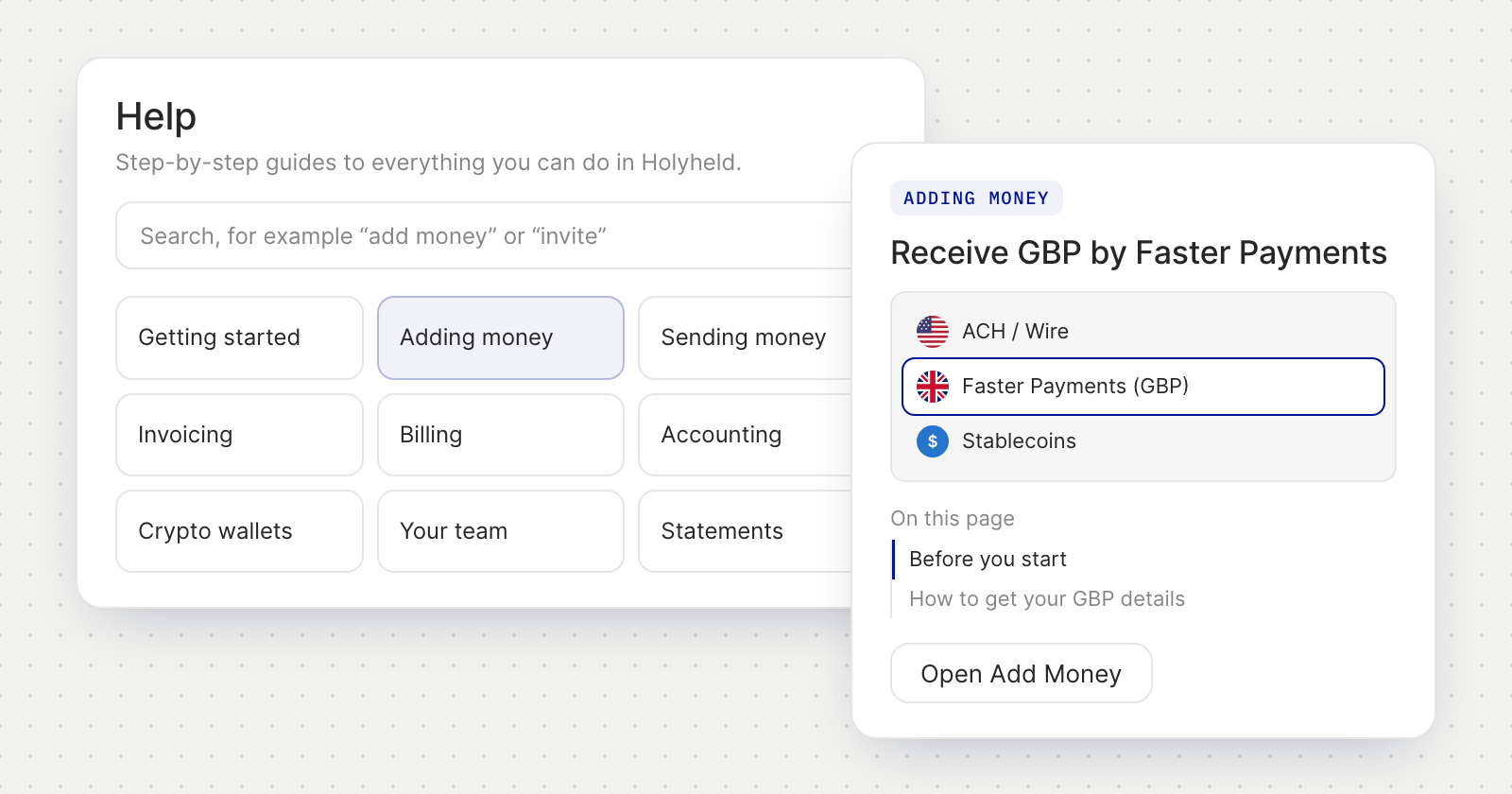
- 78 articles in 19 sections, from Getting started, Adding money and Sending money to Invoicing, Billing, Accounting and Security and sign-in, plus a glossary.
- Search the guide. Type what you want to do, such as "add money" or "invite", and the matching articles appear.
- Screenshots open at full size when you select them.
Written for you
- The labels match your screen. Buttons and menus named in an article are the app's own labels, in the language you use.
- Your account type. A personal account sees its own wording, such as Beneficiaries, and doesn't see the sections only a business uses, such as Invoicing, Accounting and Your team.
- Your role. If your role doesn't include what an article describes, a note says so and suggests asking a director to do it for you.
From the article to the screen
- On this page lists the parts of a longer article, so you can jump to the step you need.
- Open takes you straight to the screen the article describes, such as Open Add Money.
- More in the same section suggests what to read next, and a Concierge card is there when you would rather ask.
Good to know
- Help is part of the app, so you reach it once you are signed in.
- The guide is in English, French, German, Spanish and European Portuguese, and follows the language you have chosen.