
Set it up once
- Start. Choose a reporting currency, the month your fiscal year starts in and a start date. Accounting turns your history into records, and anything dated before the start date stays out of the books.
- Reporting value. Records are valued in your reporting currency at ECB reference rates, recalculated until a record is exported and frozen from then on.
- Accrual basis. Turn it on to book payments linked to invoices and bills against receivables and payables.
Review and categorise
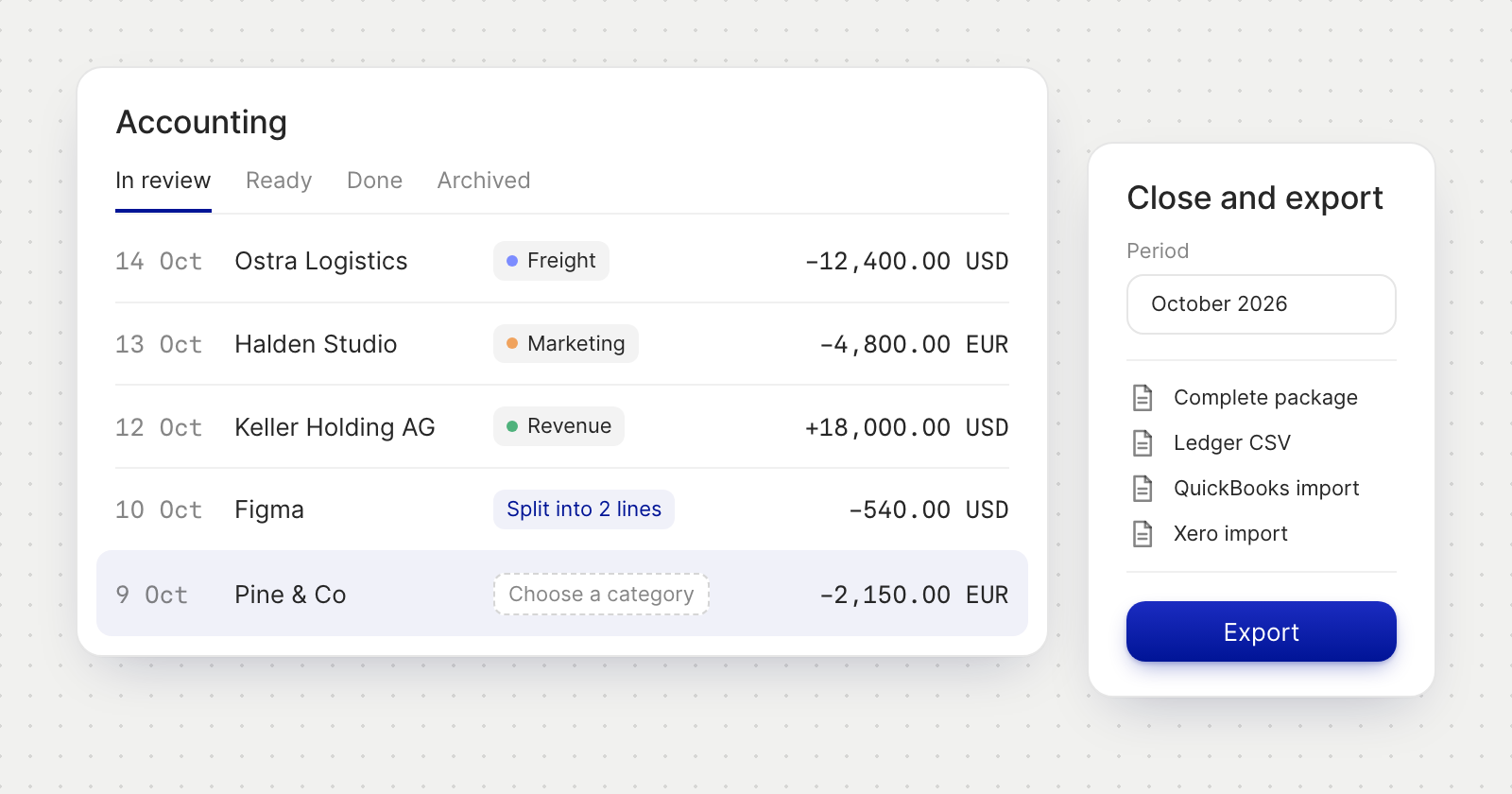
- Four tabs. Records move through In review, Ready, Done and Archived, with money in, money out and net per currency.
- Categories. Pick one in the list or in the record panel. Every change saves as you make it.
- Split. Divide a record across categories, by amount or by percent.
- Segments. Tag records with up to two segment groups, such as department and project. Exports carry them as tracking categories.
- Rules and contacts. Rules categorise new records automatically. When none matches, a contact's kind decides, such as Payroll for an employee.
- Discovery. Tell Accounting who an unknown party is. Your answer categorises their records and creates a rule for next time.
- Documents. A record shows when its document is missing, and Add receipt attaches a file to the transaction behind it.
Close and export
Close and export checks a period first. Records in review, flagged records and lines without an exchange rate must be dealt with before the period can be marked exported, while missing documents are only a warning. Then choose a format:
- Accountant package (ZIP): the workbook, the ledger CSV and every document.
- Workbook (XLSX) or Ledger (CSV), for any accounting system.
- QuickBooks and Xero import files (CSV), with a Xero version that carries account codes.
Records marked as exported are locked: Reopen one to change it. Export history keeps every export to download again.
Good to know
- Accounting is for business accounts only. Directors, Assistants and Accountants keep the books in it.
- Every export file is in English.