
Add a bill
- Start from New Bill. Upload the invoice under Select invoices to upload, or choose Create Bill Without Invoice to type it in.
- Record what you owe. A bill holds the vendor and the destination it is paid to, the invoice number and dates, line items with tax and discount, and notes, in USD, EUR or USDC.
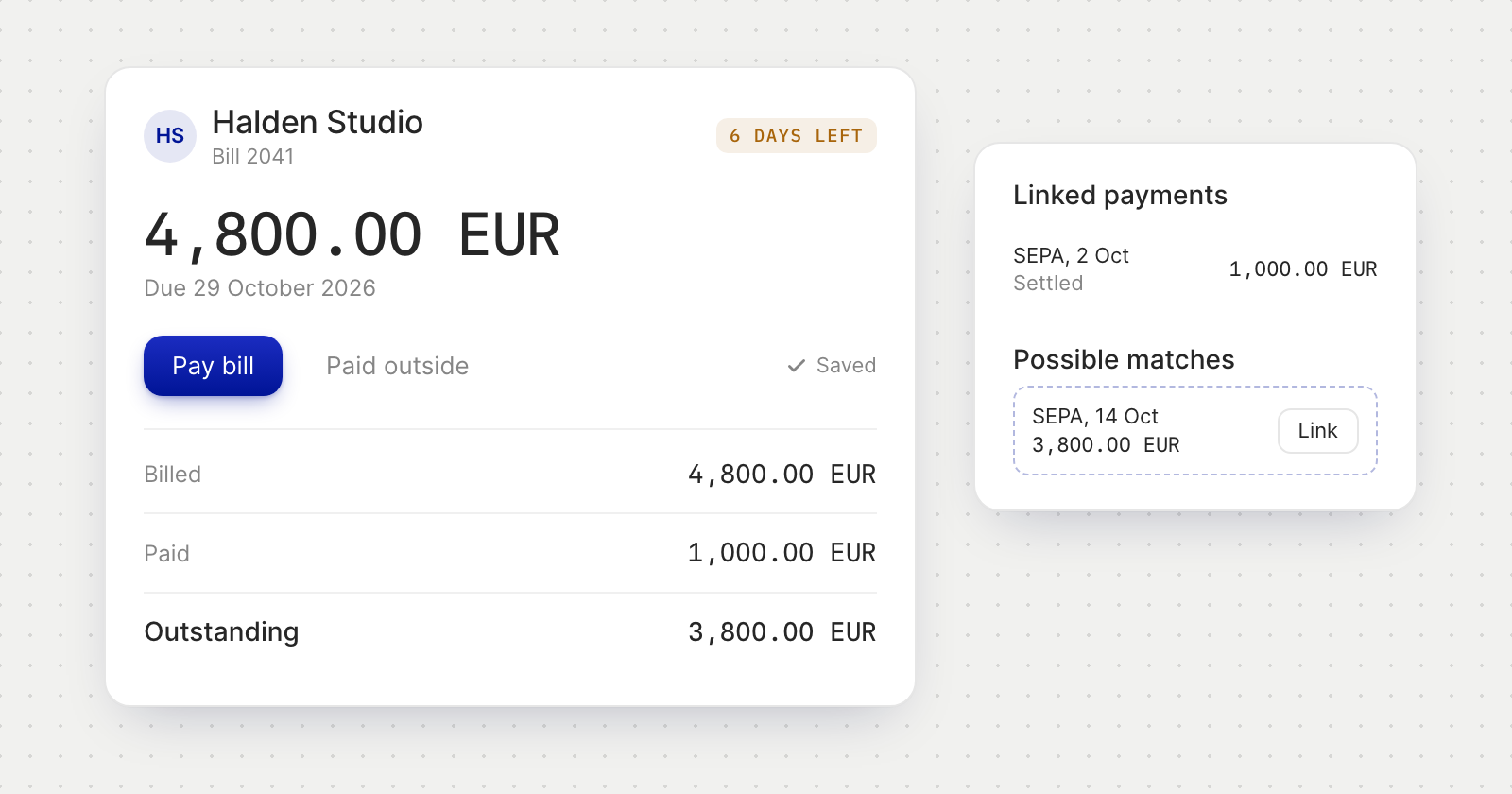
- It saves as you type. There is no Save button: the page shows Saving… and Saved, or asks you to fill in the required fields first.
Pay and track
- Pay bill. Send Money opens with the vendor, destination, outstanding amount, currency, payment method, reference and invoice document. You can pay less than the outstanding amount, never more.
- Processing. While a payment is on its way the bill shows Processing, and Pay bill stays hidden until the money lands. A part-paid bill shows what is outstanding.
- Related payments. Each bill shows what was billed, paid and outstanding, and its Linked payments. Under Possible matches, Holyheld suggests payments to the same vendor, in the bill's currency, that fit the outstanding amount. Link records one against the bill.
- Paid outside. If you settled a bill some other way, Paid outside marks it paid without sending money.
Find what is due
- Search, filter and sort. Search by vendor or invoice number, filter by status, sort by due date, amount or invoice date.
- Due dates. Open bills count the days left until they are due, or the days overdue.
- Statuses. A bill is a Draft until it is paid, then Settled. A payment waiting for an approver shows Pending Approval, and one that fails shows Payment Failed so you can pay again.
Good to know
- Bills is under Billing in the menu.
- A bill belongs to the member who created it, and its owner can't be changed.
- A bill can be edited until you pay it, and deleted while it is a draft or pending approval. Payments already made against a deleted bill stay on record.