
Set up once
- Accept the agreements. The first time you choose International wire (SWIFT), Holyheld opens International wires. Read each document, tick the confirmation and press Accept and continue.
- For a company, a director accepts. Only a director listed on the company's application can accept. Other members are told who can.
- On a personal account, verify your identity first. Verify identity opens the check, which takes a few minutes. International wires open once it's complete.
- Then a short review. Holyheld reviews the application, usually within a few business days. If something more is needed, you get an information request to answer.
Send a wire
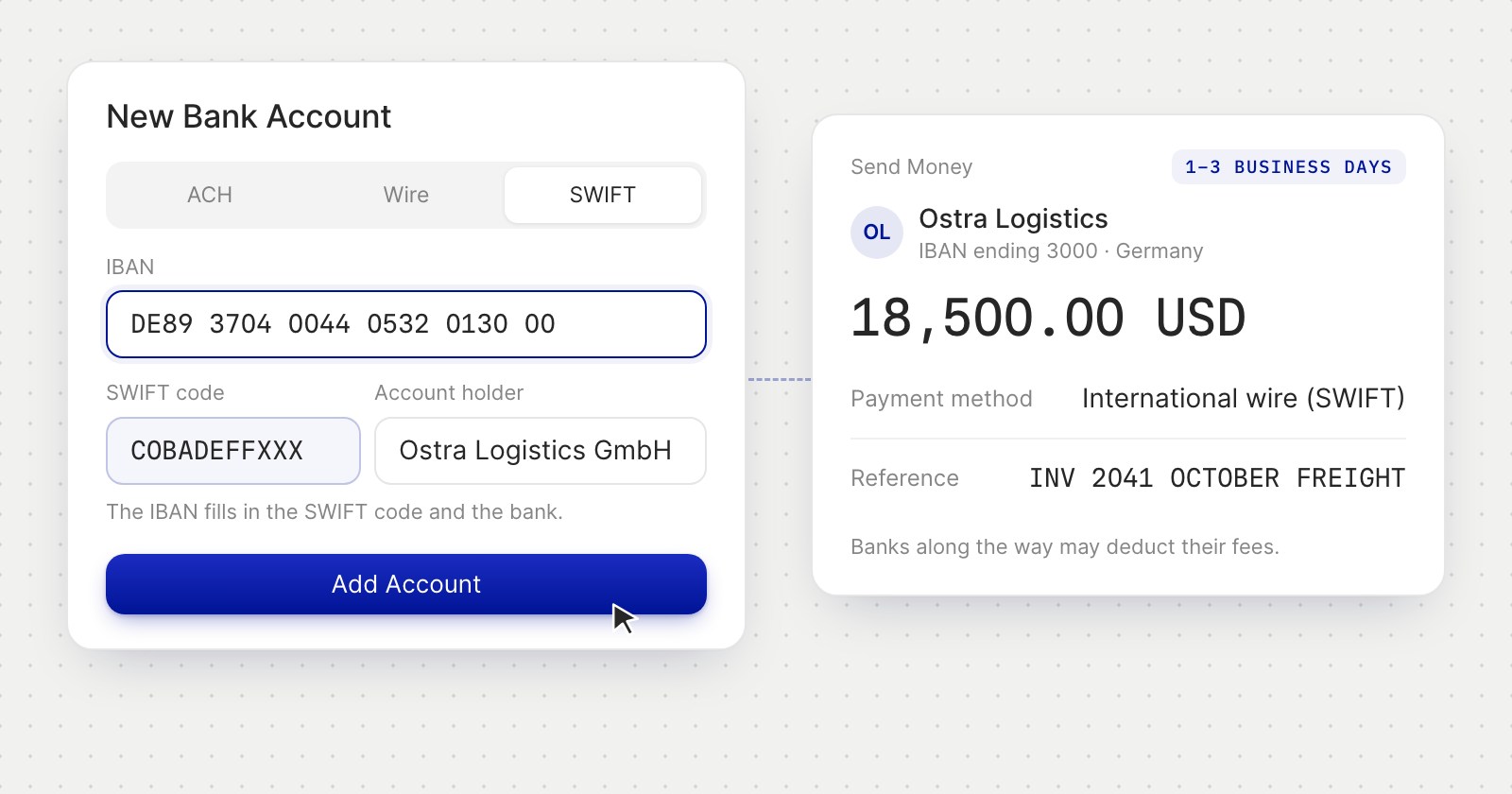
- Add the recipient's account by IBAN. On the vendor's page, or the beneficiary's on a personal account, add a bank account and choose SWIFT. The IBAN fills in the SWIFT code and the bank's name, and you can correct either.
- Pay from where you already pay. Choose International wire (SWIFT) in Send Money, when paying a bill, or with Repeat on an earlier payment. The review shows the fee as one figure and when the money arrives.
- Write a reference the bank can carry. SWIFT takes a reference of at least 5 characters, on up to 4 lines of 35, in letters, numbers and a few signs. Holyheld shows the reference as the bank will receive it.
- Your approvals still apply. Payment rules and payment requests work as they do for any payment.
Good to know
- USD, outgoing, to an IBAN. A wire starts at 50 USD. Receiving is unchanged: your USD account takes ACH and domestic US wires.
- Banks along the way may deduct their fees from the amount the recipient receives.
- A recipient in the United States needs a state in their address. Holyheld asks for it before the account is added.
- If the recipient's bank sends a wire back, the payment shows On Hold until the money has returned, then Returned.
- What a wire costs is on Pricing for businesses and on Individual pricing for personal accounts.